

Is This for You?
Your school used SchoolCues before, and you’ve noticed it looks different, or a colleague mentioned “Classic.” This guide explains what SchoolCues Classic is, how to tell which one you’re using, and what happens when your school moves across.What It Is
SchoolCues Classic is the previous version of SchoolCues, with the pages and menus you know, now running on the new SchoolCues. Schools that used the previous version start on it, so nobody has to learn a new layout on day one. Classic and the new SchoolCues share the same records, so nothing is copied or lost.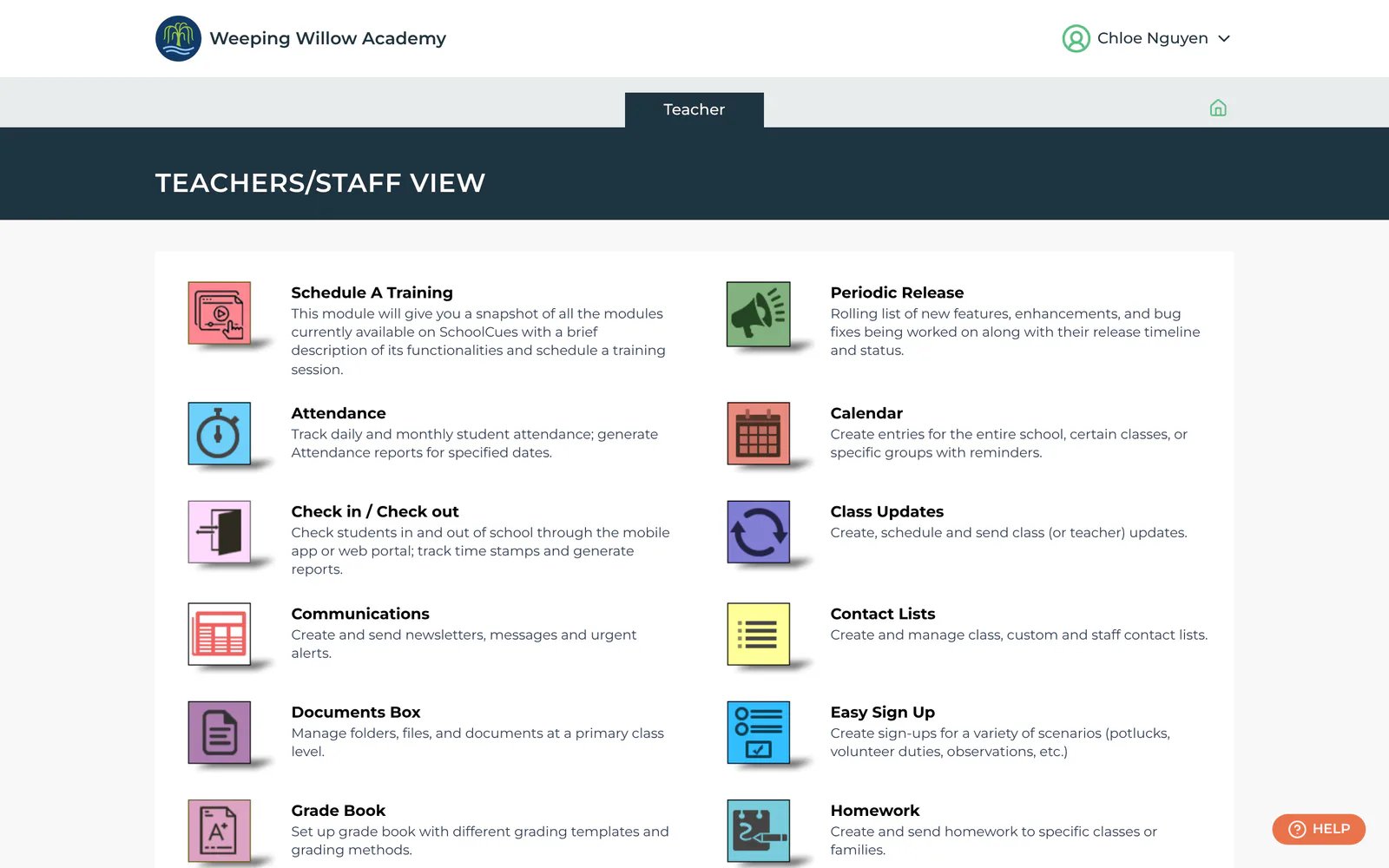
Are You Using It?
- Web
- iPhone and iPad
- Android
If you see a tile for each module under a Teacher, Parent or Admin tab, as in the picture above, and the web address has /classic in it, you’re on SchoolCues Classic. The new SchoolCues opens on Portal › Today, with a main menu down the left.
How Your School Moves
Your school’s administrators move everyone across when the school is ready, in three groups: administrators first, then staff, then families. Each group gets the new SchoolCues the next time they sign in on the web, so there’s nothing for you to do. A group can move back if it needs to.A Real Example: Moving in Three Steps
Grace Lutheran School moved to the new SchoolCues over three weeks.- In week one, the two school administrators moved themselves, and set up the new Today, Messages and Settings.
- In week two, they moved staff. Teachers signed in on Monday and found Today waiting, with attendance to take.
- In week three, they moved families, with a short message to say what to expect. Families who use the app saw no change at all, because the app was already the new SchoolCues.
Common Questions
Will I lose anything when my school moves?
No. Classic and the new SchoolCues share the same records, so messages, forms, grades and payments are all still there.My school moved. Where’s Easy Sign Up?
Sign-ups are events now, in Portal › Schedule › Events. Where Things Moved From SchoolCues Classic lists every Classic tile and where it is now.Can I choose to stay on Classic?
Your school’s administrators decide when each group moves. If you have trouble with the new SchoolCues, let them know.For Administrators
Moving to the New SchoolCues shows how to move each group. Where Things Moved From SchoolCues Classic lists where every Classic tile, such as Easy Sign Up, is now.Guides for SchoolCues Classic
For administrators whose school still uses Classic:- Add or Delete a Document’s Files in SchoolCues Classic
- Archive Sent Class Updates and Homework in SchoolCues Classic
- Cancel Sending a Permission Form in SchoolCues Classic
- Edit a Conference in SchoolCues Classic
- Edit an Easy Sign Up Activity in SchoolCues Classic
- Find and Edit Recurring Charges in SchoolCues Classic
- Save a Permission Form as a Draft in SchoolCues Classic
- Send a Permission Form Reminder With Your Own Message in SchoolCues Classic
- Print Report Cards and Progress Reports in SchoolCues Classic