

Your School Starts on SchoolCues Classic
If your school used the previous version of SchoolCues, it opens in SchoolCues Classic: the pages and menus you know, now running on the new SchoolCues. Your school administrators move everyone across when your school is ready, one group at a time. Classic and the new SchoolCues share the same records, so nothing is copied or lost, and a group can move back at any time. On iPhone and iPad, everyone uses the new SchoolCues app.Move Your School
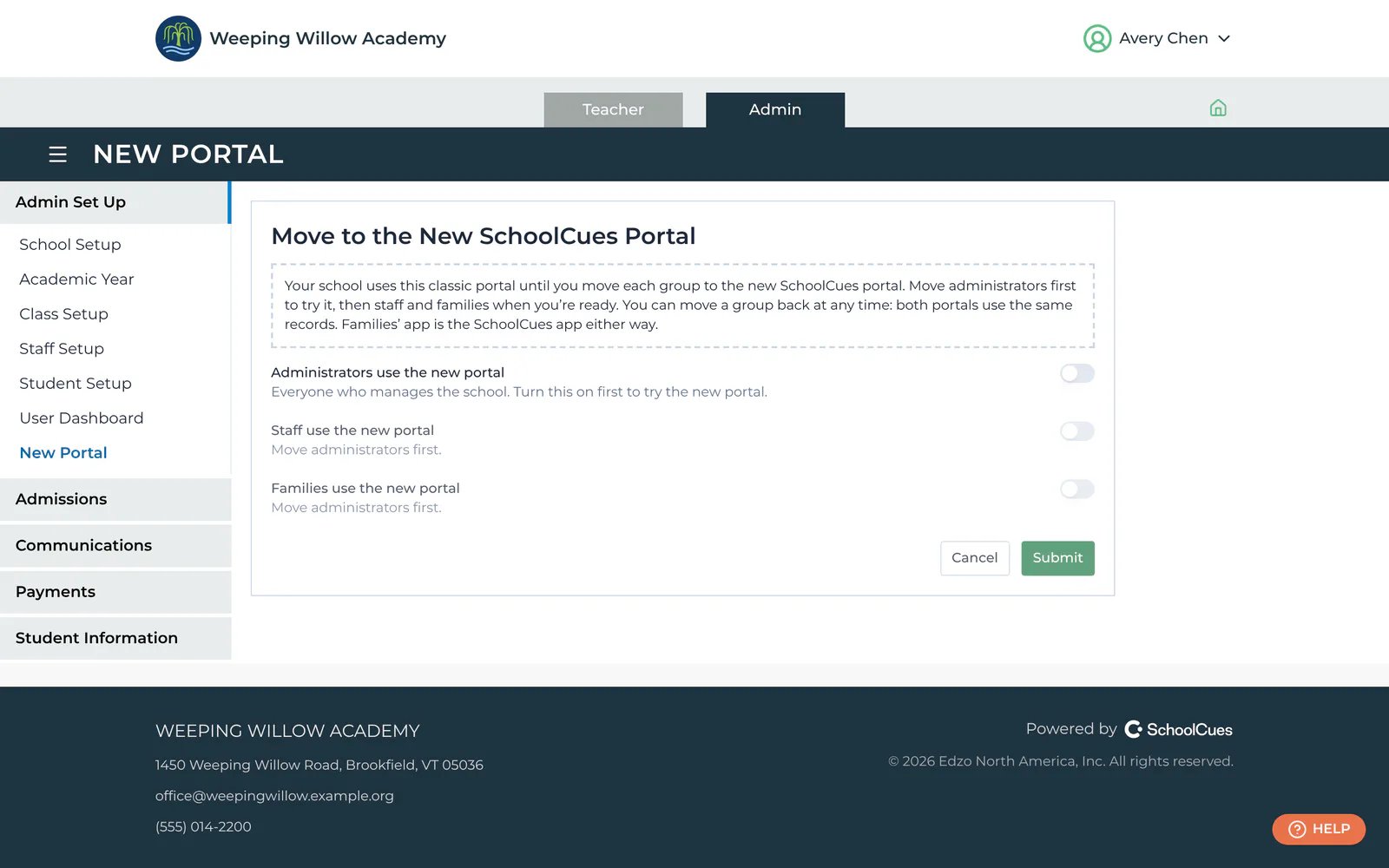
School administrators do this on the web.- In SchoolCues Classic, open Admin, then New Portal under Admin Set Up.
- Turn on “Administrators use the new portal” first, so you can try it before anyone else. The same switches are in the new SchoolCues, in Settings › Classic Portal.
- When you’re ready, turn on Staff, then Families. Each group opens the new SchoolCues the next time they sign in on the web.
- After each move, choose Write Message to let that group know.
- To move a group back, turn its switch off. Administrators stay on the new SchoolCues while staff or families are there.
Find Your Way Around
- Web
- iPhone and iPad
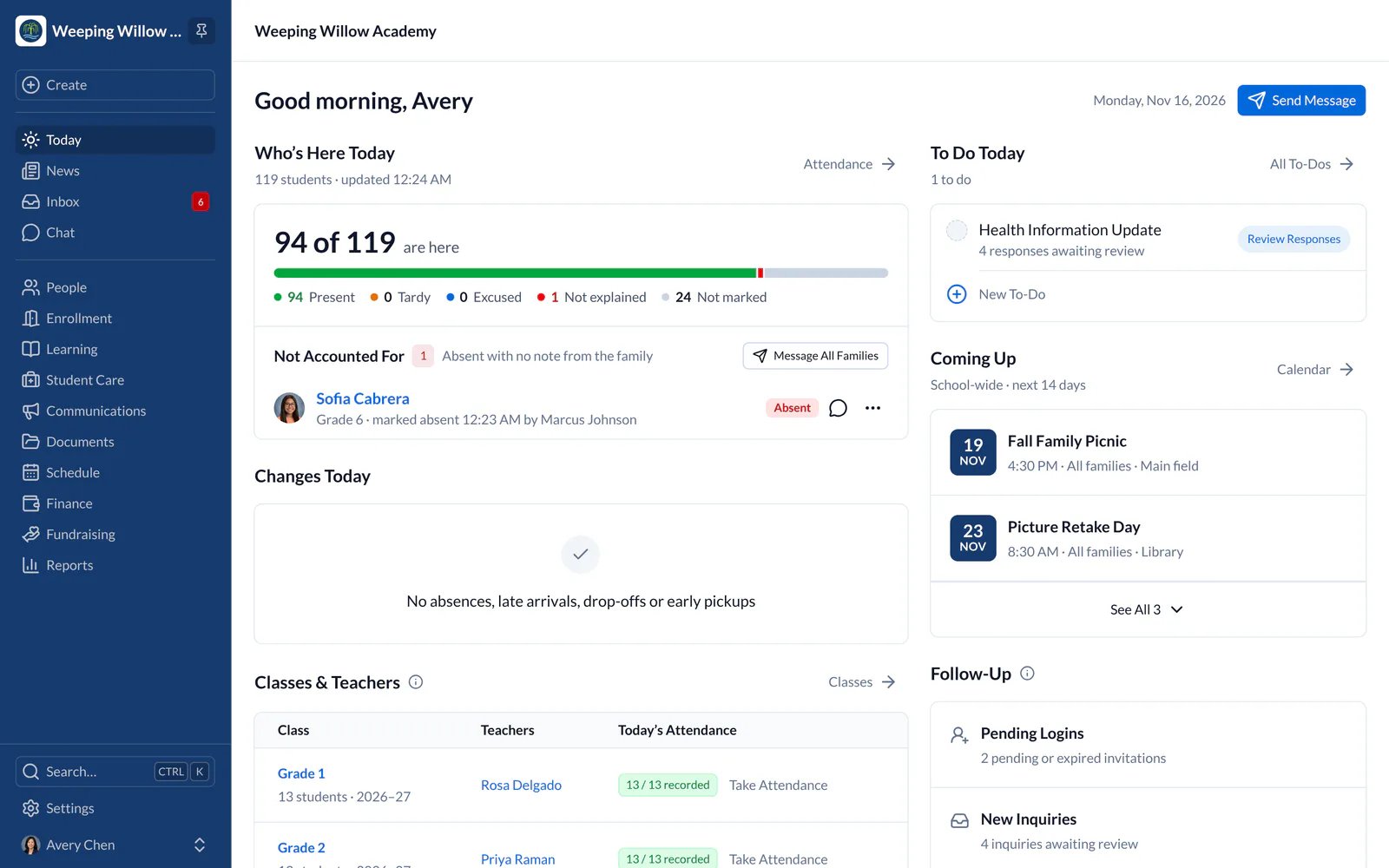
What’s Called What Now
- Web
- iPhone and iPad
- TextCues, Class Updates and Homework: send them from Messages. What’s sent to you is in Inbox.
- Easy Sign Up, Service Scheduler, Parent-Teacher Conferences and tickets: Bookings. RSVP is part of each event.
- Documents Box: Documents.
- Grade Book: Gradebook, beside Report Cards.
- Student Information System (SIS): Student Information.
- Enrollments & Agreements: Agreements. Families sign them in Forms & Agreements.
- Absentee, Tardy and Miscellaneous forms: Family Notices.
- Donations: Fundraising.
Staff and a Parent?
- Web
- iPhone and iPad
Choose your name at the bottom of the main menu, then View, to switch between your staff work and your family’s view.