

Mark a Class
- Web
- iPhone and iPad
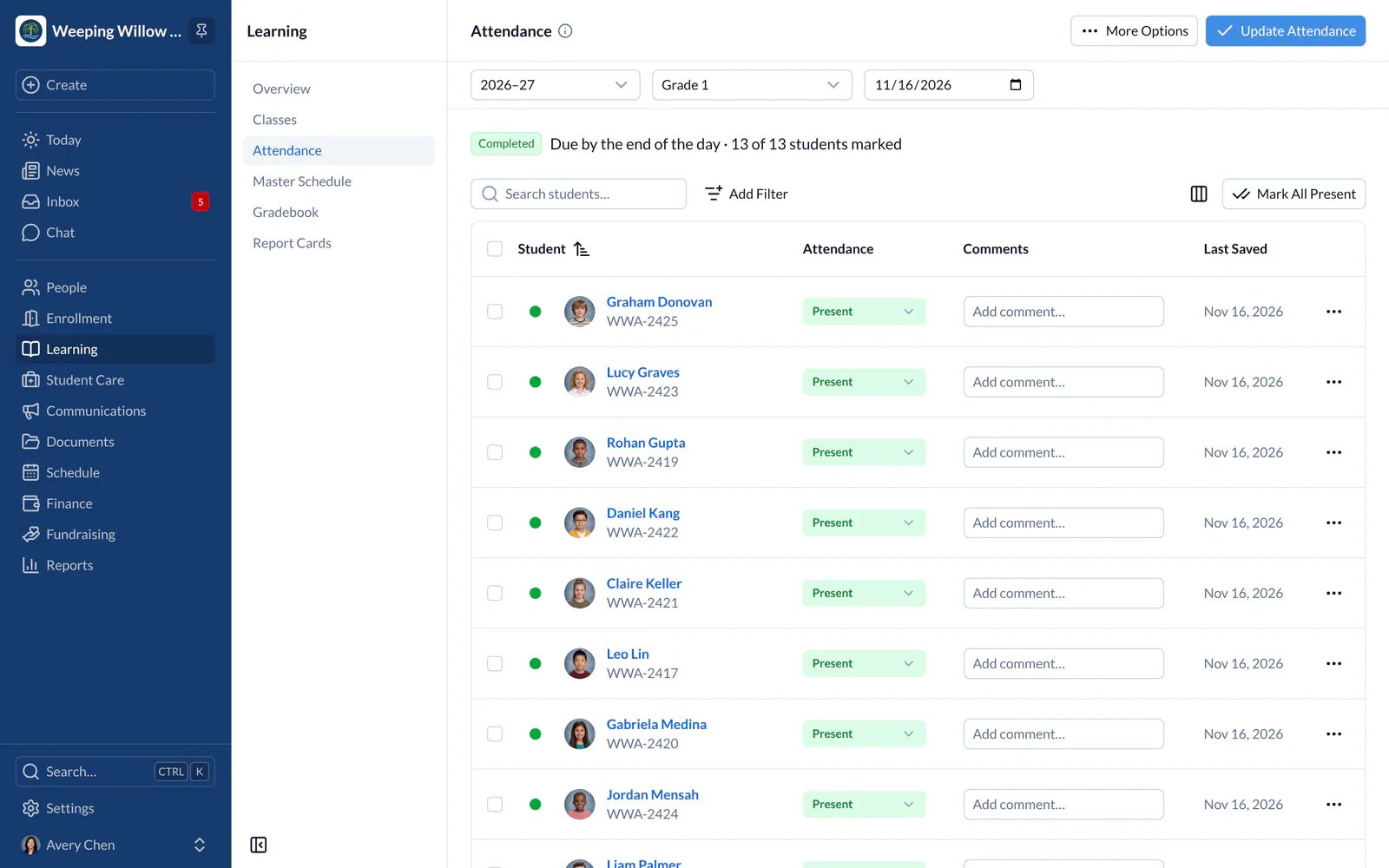
- Open Attendance and choose the class and date.
- To mark every class in one list, choose All classes. Each class’s attendance is still saved for that class.
- Choose Mark All Present, then change the students who aren’t.
- Family notices for the day show beside each student with a suggested mark.
Absence Alerts
- Web
- iPhone and iPad
If a student is marked absent and the family hasn’t sent a notice, the family gets an alert after 15 minutes. Fix a wrong mark before then and no alert goes out. Administrators change this in Absence Alerts.
Reports
- Web
- iPhone and iPad
See Attendance Summary, Monthly Attendance and Attendance Comments in Reports.